
Create and share
How to Turn a Drawing into a Music Video for TikTok, Reels and Shorts
To turn a drawing into a music video, draw a melody in a draw-music app, add a beat, then export it as a video of the drawing playing in sync. In the Inkbeat app for Android, Export & Share makes a vertical 1080x1920 MP4 that fits TikTok, Instagram Reels and YouTube Shorts. Then you post it from your phone like any other clip.
On this page
Drawing music TikTok videos are satisfying to watch for a simple reason: you see a doodle and hear it come alive at the same time, as a playhead sweeps across it. You don't need editing skills to make one. This guide covers the whole path from blank canvas to posted video, plus ideas that tend to work well in short-form feeds.
If you have never drawn music before, try it in your browser first to get a feel for it. The online tool can also save a quick vertical video with a Download video button; the steps below use the app, which has more instruments and exports in full HD.
What you need
You only need a phone and a few minutes to turn a drawing into a music video. No camera, microphone or editing app is required, because the app records the drawing and the sound for you.
- An Android phone with the free Inkbeat app (Draw Music Maker: Inkbeat). It is free with ads, works offline and needs no account.
- An idea for a drawing. Your own doodle, or one of the 44 ready-made designs: hearts, stars, rainbows, animals, rockets, fireworks, Christmas and Halloween.
- A place to post: TikTok, Instagram Reels, YouTube Shorts, or just your group chat.
How to turn a drawing into a music video, step by step
- Draw your melody. Open Inkbeat and draw on the canvas, or pick a design from Home and remix it. Remember the two rules: left to right is time, higher is a higher note. Every note snaps to the scale, so it always sounds in tune.
- Choose instruments and a mood. Each colour is an instrument (piano, music box, bell, synth, marimba, pluck, soft keys, flute, guitar). Pick a mood such as Happy, Dreamy or Mystery to set the feeling.
- Draw beats under it. In the Rhythm tab, tap Drum Kit or build your own with kick, snare, clap, hi-hat, bass and arpeggio. Pick a tempo from Slow 80 to Hyper 160 BPM.
- Play it back. Watch the playhead sweep across your drawing. Fix anything that sounds busy with undo or the eraser. The song is kept in My Music.
- Export the video. Open Export & Share and choose Video (MP4). The app renders a vertical 1080x1920 video of your drawing playing in sync with the music.
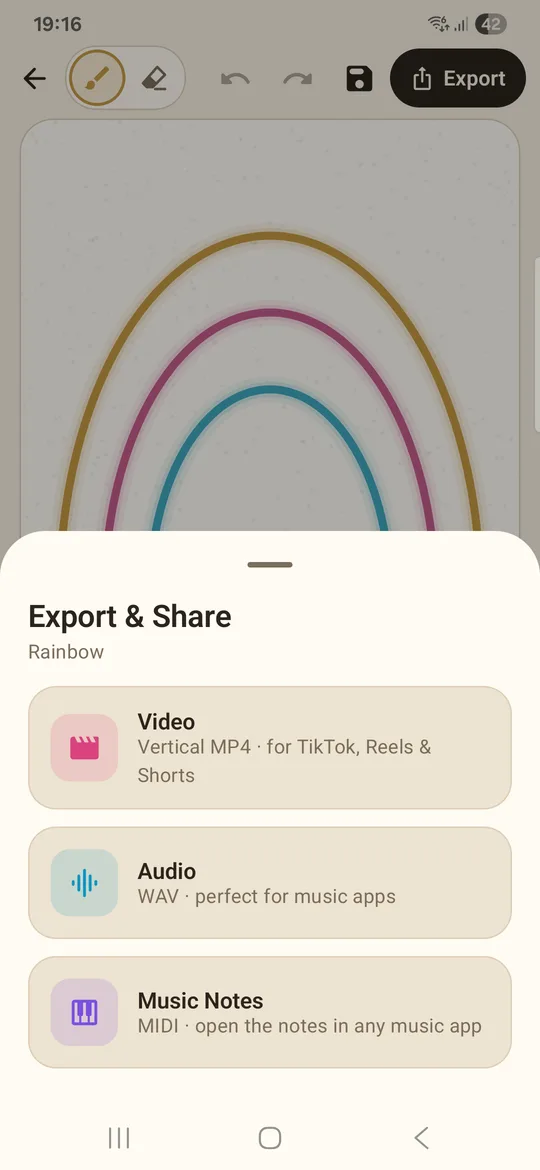
Export & Share in Inkbeat: Video (MP4) for TikTok, Reels and Shorts, Audio (WAV) and Music Notes (MIDI). - Post it. Share the MP4 to TikTok, Instagram or YouTube from your phone's share options, then finish the post in that app. Add a caption and a few hashtags.
That's all it takes to turn a drawing into a music video. Exported videos carry a small "Made with Inkbeat" watermark.
Make a music video for TikTok, Reels and Shorts
All three platforms favour vertical video, and the 1080x1920 export is that exact shape, so you don't need to crop or resize. Once you know how to turn a drawing into a music video, a few things help it do well in the feed:
- Hook in the first second. Viewers decide fast. A recognisable shape (a heart, a rocket, a Christmas tree) tells them what's coming before the first note.
- Keep it short and loopable. The canvas is a loop of 4 bars of 16 steps, so the video ends where it starts. Short loops get rewatched.
- Let the drawing "perform". Spread notes across the whole width so something is always sounding as the playhead moves. Long silent gaps look like the video froze.
- Match the season. Christmas and Halloween designs fit seasonal trends, and fireworks work for New Year.
- Ask a question in the caption. "Guess what this drawing sounds like" or "Which mood is better?" invites comments.
Tip: Make a series. Draw the same shape in three moods (Happy, Moody, Mystery) and post them as three videos, or as one compilation in your editor. People love hearing how one doodle changes with the scale.
Make a song video from a drawing: ideas that work
- Name drawing. Write your name or a friend's name in cursive and play it. Handwriting makes surprisingly melodic lines.
- Draw what you hear. Pick a mood first, then draw something that matches it: rain lines for Dreamy, a spooky house for Mystery.
- Before and after. Show a plain design, then your remix with new colours and a drum beat.
- Draw beats only. In block mode, place short notes in a steady pattern to make a rhythmic, almost percussive melody over the Drum Kit.
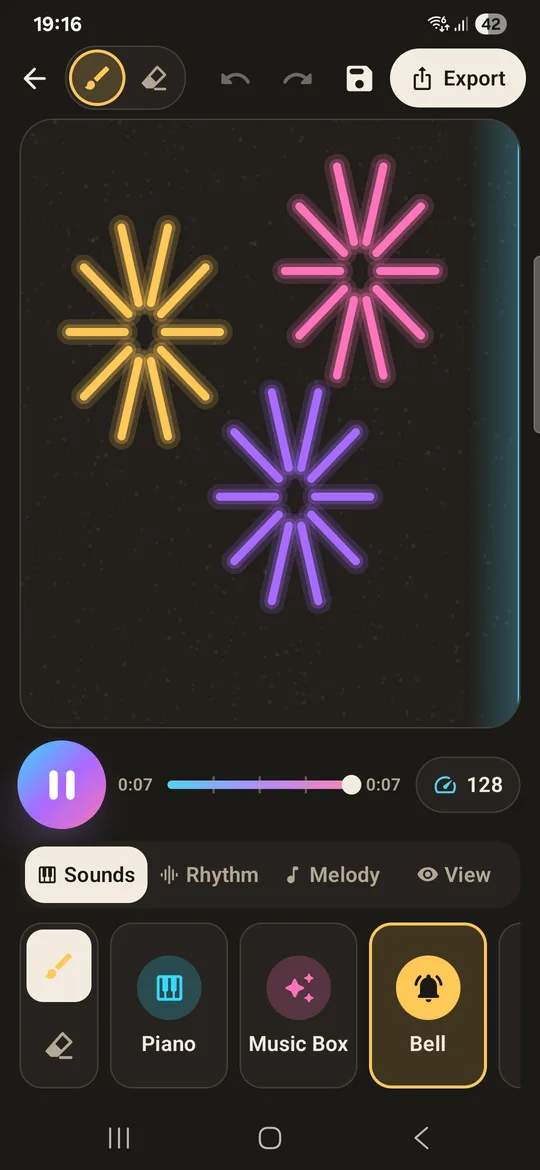
- Theme pack. Animal week, space week (rockets and stars), or a countdown to a holiday using the seasonal designs.
Export MP4, WAV or MIDI: which one do you need?
Video is not the only export, and the other two are useful for creators:
- Video (MP4): when you want viewers to see the drawing play. Best for TikTok, Reels and Shorts.
- Audio (WAV): when you only need the sound, for example as background music in a video you edit yourself, or as a ringtone.
- Music Notes (MIDI): when you want to take the melody further in GarageBand, FL Studio, BandLab or another music app, with other instruments or vocals.
New to drawing music? Start with our guide on how to make music by drawing, or read the full draw music app guide for every feature. You can also warm up with the free online draw music tool before you open the app.
Questions people ask
How do I turn my drawing into a music video?
Draw a melody in the Inkbeat app for Android, add drums in the Rhythm tab, then use Export & Share and choose Video (MP4). You get a vertical video of the drawing playing in sync, ready to post.
What size is the exported video?
It is a vertical MP4 at 1080x1920, the format used by TikTok, Instagram Reels and YouTube Shorts, so no cropping is needed.
Does the exported video have a watermark?
Yes, exported videos carry a small "Made with Inkbeat" watermark.
Can I make a drawing music video in the browser?
Yes. The free online tool on this site has a Download video button that saves your drawing as a vertical video with a small Inkbeat watermark. The Android app adds more instruments, full HD video, WAV audio and MIDI.
Can I use the music without the video?
Yes. Export Audio (WAV) for just the sound, or Music Notes (MIDI) to open the melody in another music app.